Electrode appears hollow after voxelisation
-
Hello,
I am setting up an LF Electro Ohmic Quasi-Static simulation using the DUKE_POSABLE 3.2 model. I have placed two solid spherical electrodes in contact with the body and applied Dirichlet boundary conditions.
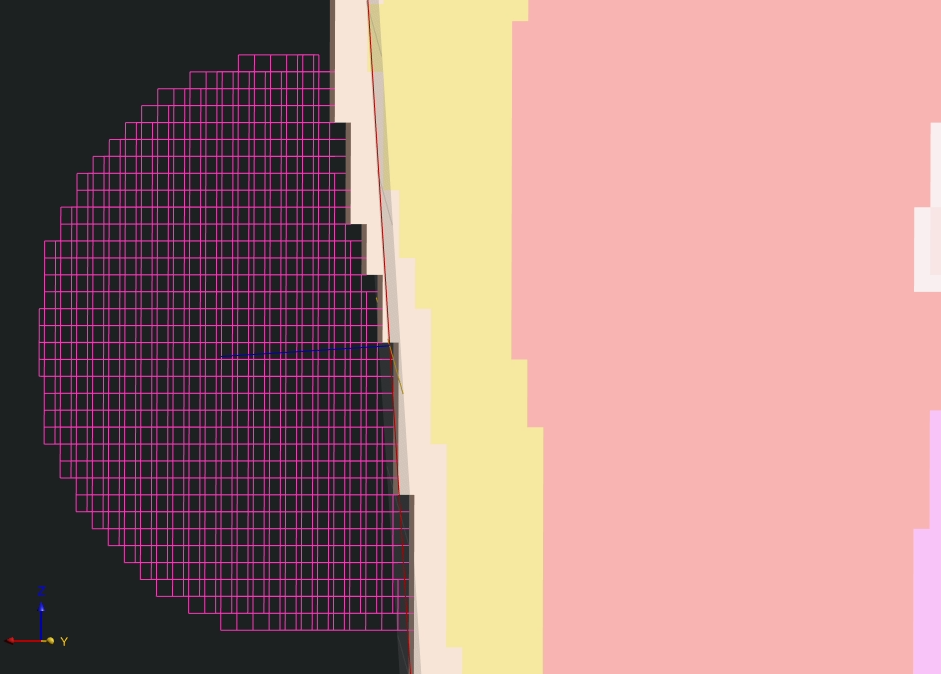
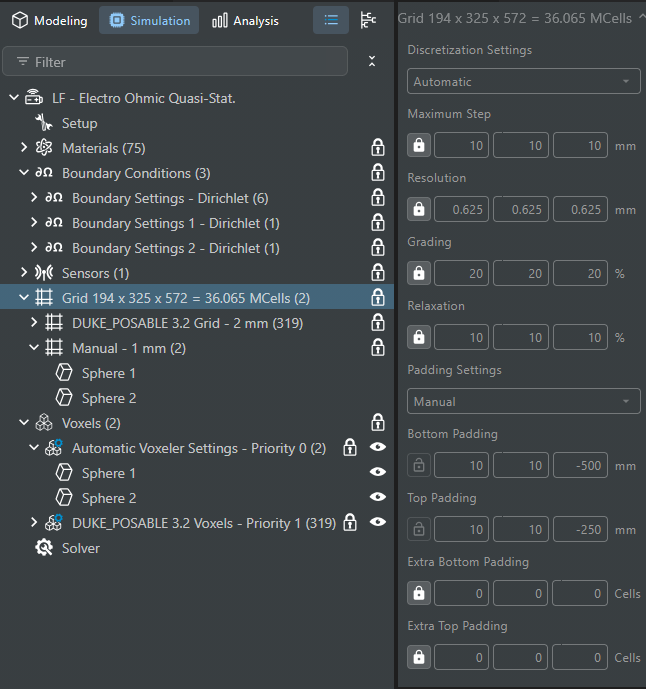
After voxelisation, the electrodes appear hollow or lattice-like, as shown in the attached screenshots, even though the original geometries are solid. I used a local 1 mm grid for the electrodes, while the anatomical model has a maximum grid step of 2 mm.
Could you please explain what may be causing this appearance? Is it only a visualisation effect, or does it mean that the electrode interiors have not been filled with voxels?
If the electrodes are actually voxelised as hollow structures, could this affect the electrical contact with the tissue, including the calculated current distribution or contact impedance? Also, is there a way to check whether the electrode material has been correctly assigned throughout the entire electrode volume?
Thank you.
Here is the screenshort of the voxel:
Screenshort on simulation settings:
-
In the LF Electro Ohmic Quasi-Static (EQS) solver, when an electrode is assigned a Dirichlet boundary condition, the electric potential is applied to the boundary of the electrode rather than its entire volume.
This is a visualization decision made during voxelization. For example, in the FDTD solver, an object assigned as a PEC appears as a filled volume in the voxel viewer. However, when the same object is assigned as a PEC in the LF Ohmic EQS solver, only its boundary is represented, making the electrode appear hollow.
This is essentially a visualization artifact and should not affect your simulation results, provided that the electrode boundary and its contact with the surrounding materials are correctly resolved.
However, we recommend using the voxel viewer to verify that the electrode boundaries are correctly detected and that the electrode is in proper contact with the intended tissue or material:
(1) Voxel Viewer (Slices): Confirm that there are no gaps (background voxels) between the electrode and the surrounding tissue or material.
(2) Connectivity Check: Verify that the contact region is connected as intended.
(3) Voxel Grid View: Check how the electrode is voxelized and verify its assigned priority.
Hello! It looks like you're interested in this conversation, but you don't have an account yet.
Getting fed up of having to scroll through the same posts each visit? When you register for an account, you'll always come back to exactly where you were before, and choose to be notified of new replies (either via email, or push notification). You'll also be able to save bookmarks and upvote posts to show your appreciation to other community members.
With your input, this post could be even better 💗
Register Login