3D Viewer Rendering Issues When Using Remote Desktop
-
Hi everyone,
I am experiencing several rendering issues with the Sim4Life 3D Viewer when running Sim4Life on a Windows server through Remote Desktop (RDP).
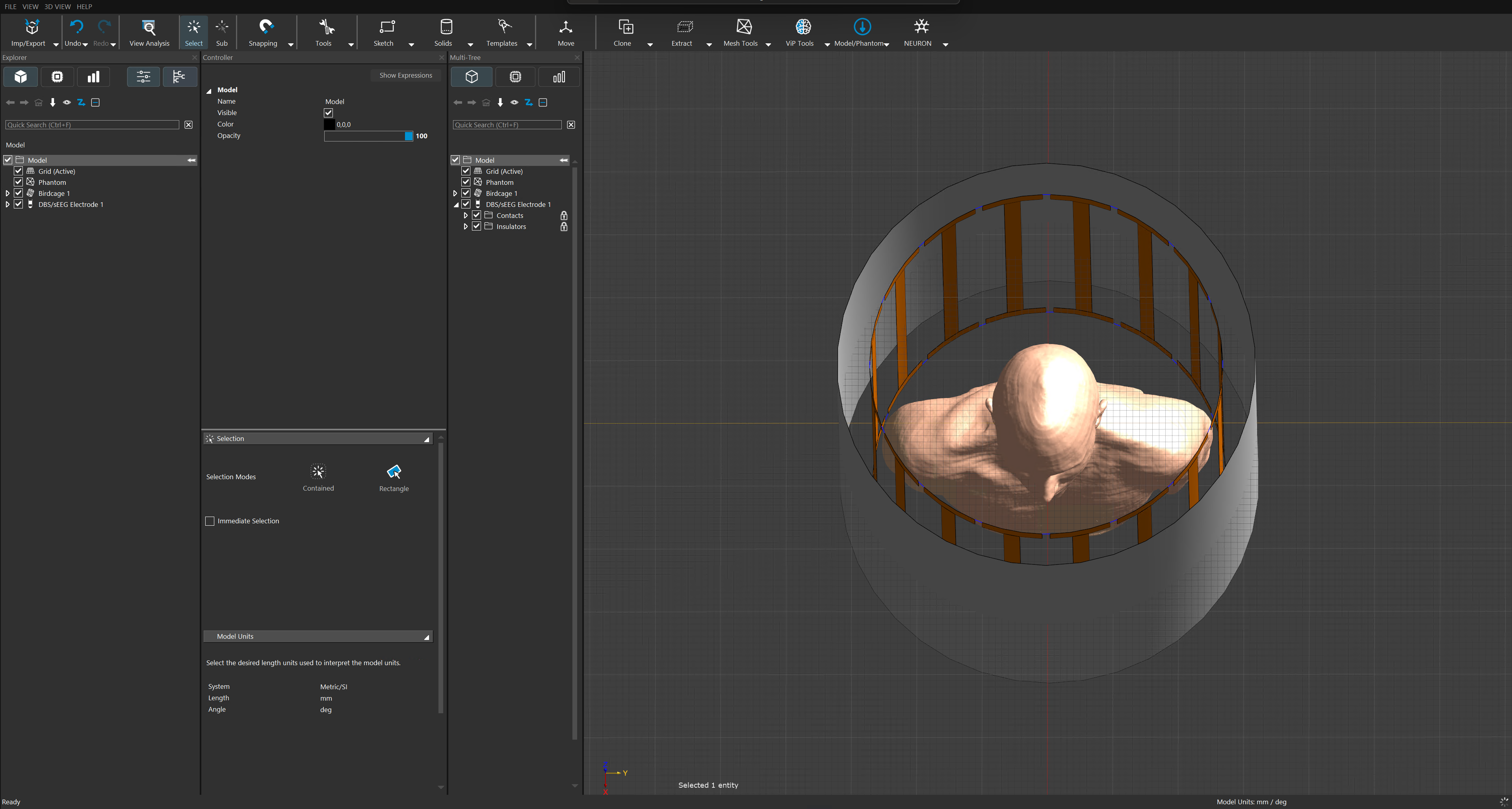
- Colors change when selecting an individual model element. When I select the Model folder in the Explorer, all elements are displayed correctly:
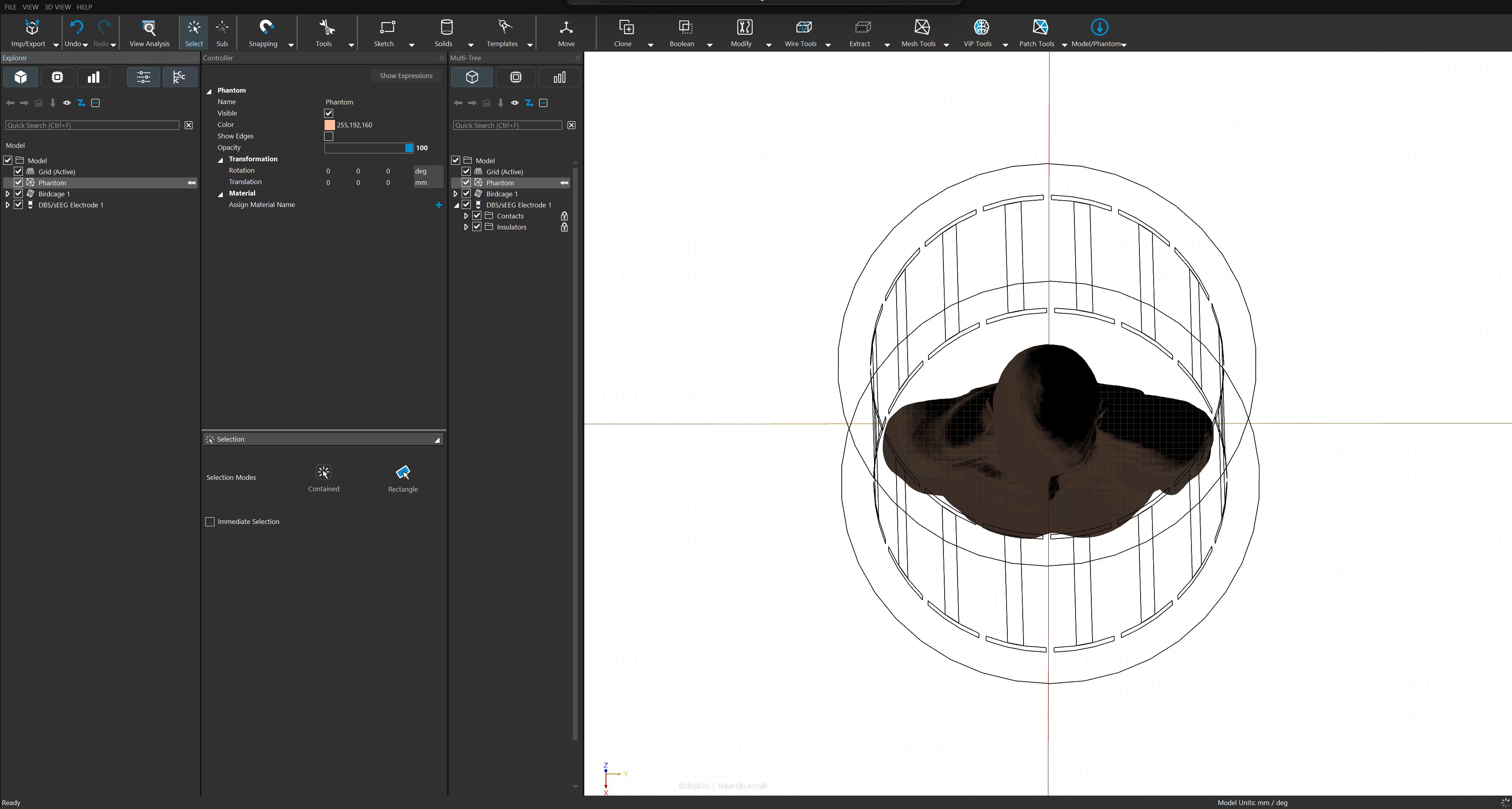
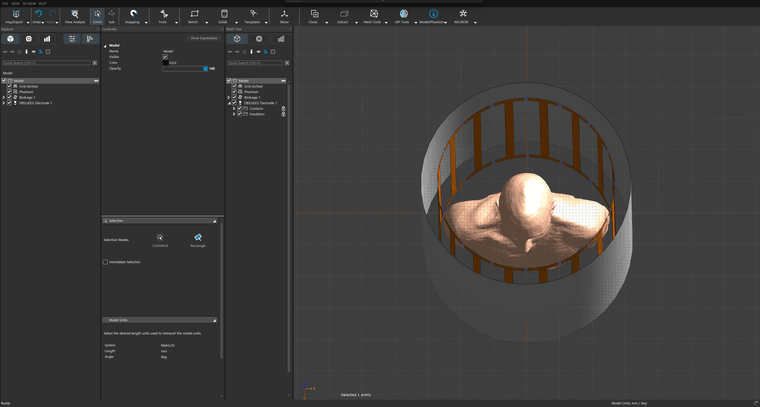 However, as soon as I select an individual element within the folder, the colors of the model change significantly and no longer correspond to their normal appearance: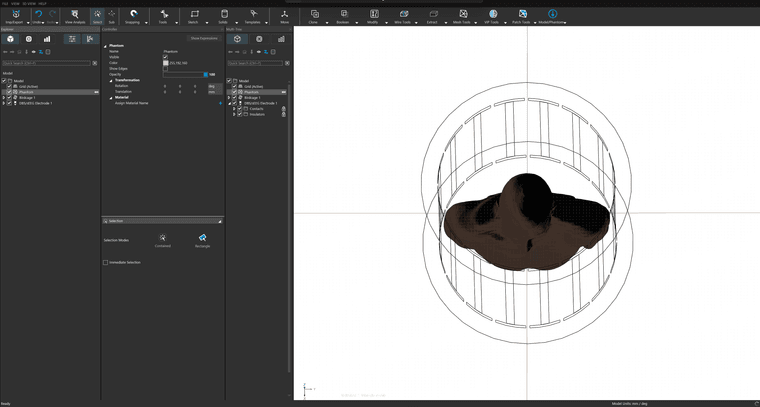
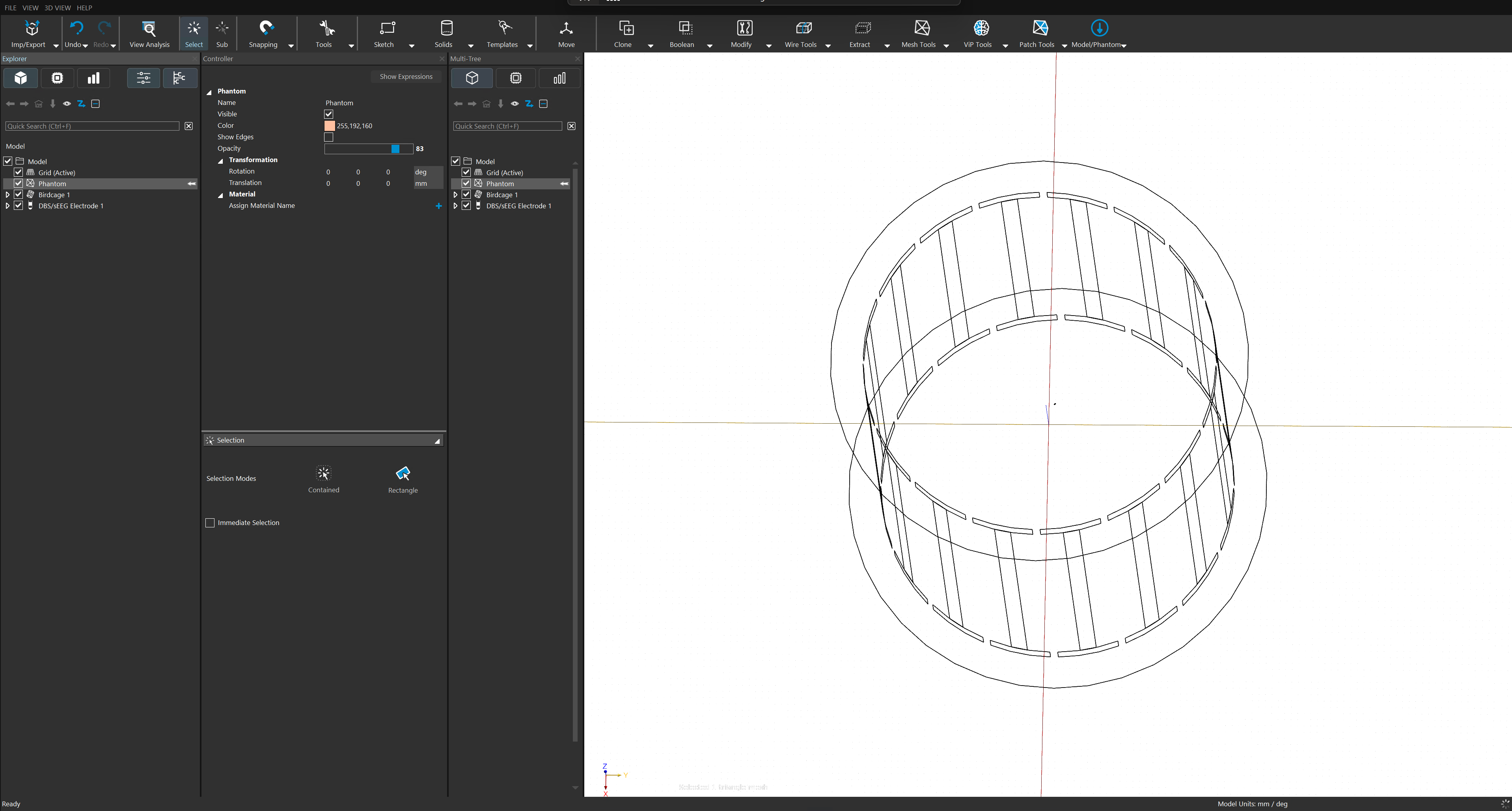
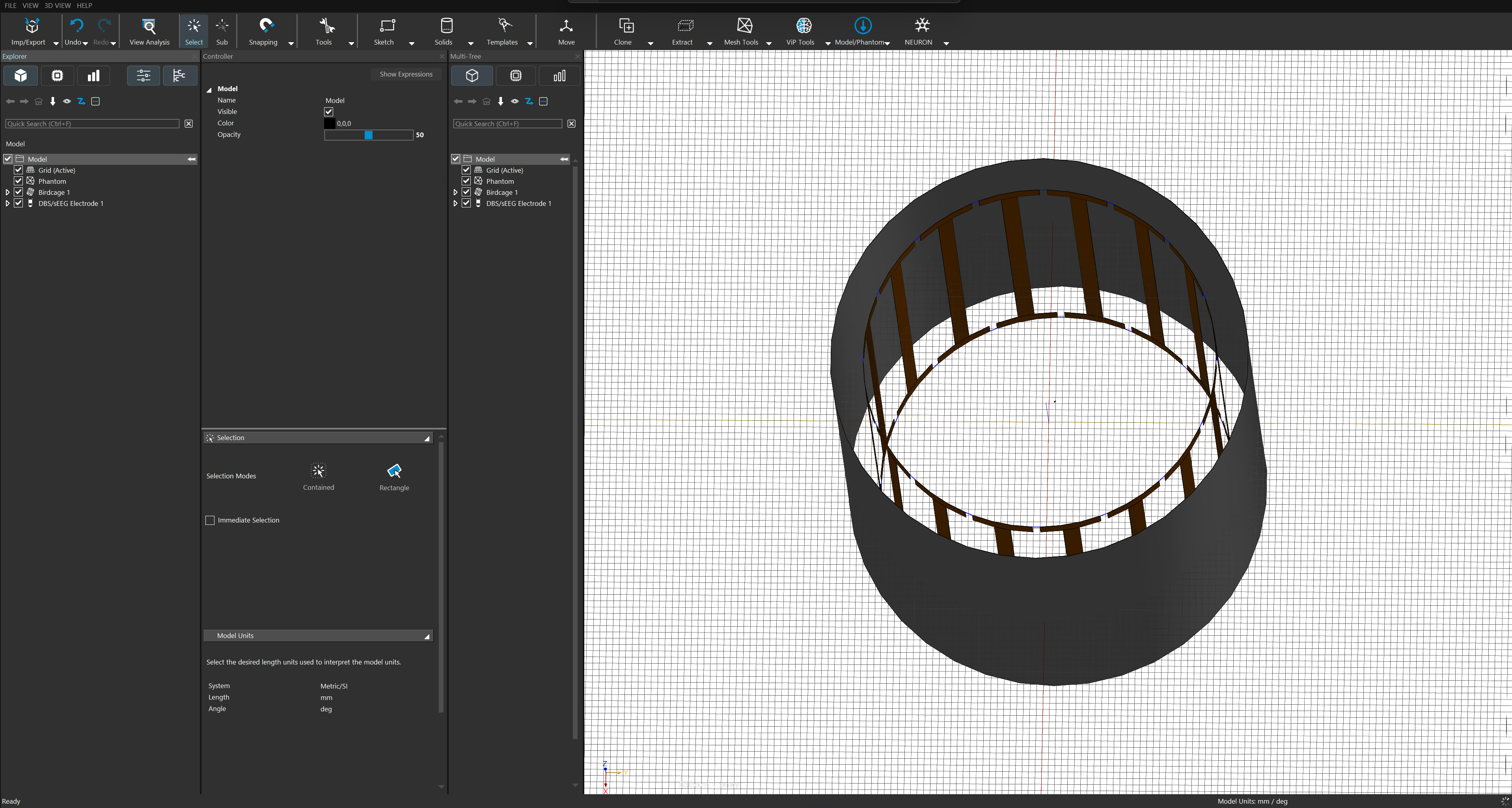
- Elements disappear when opacity is below 100%. If I change the opacity of any element to a value below 100%, the element completely disappears from the 3D Viewer. At the same time, the colors of the remaining model are also altered, even when I select the entire Model folder again:
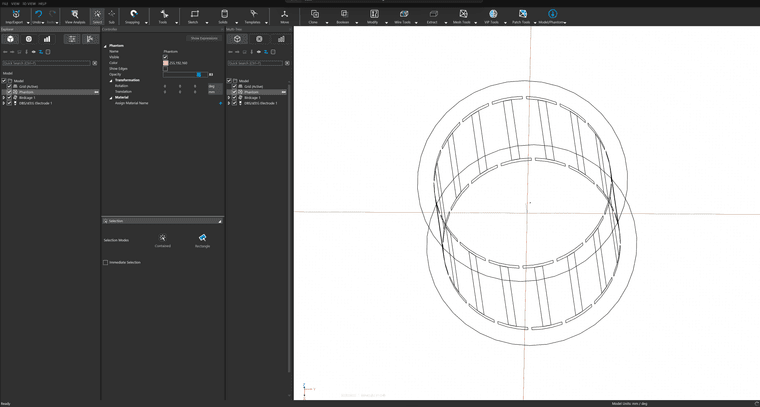
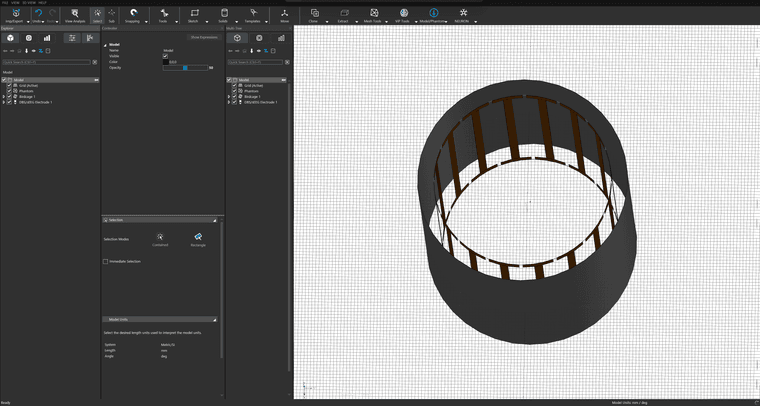
The server has the following specifications:
- OS: Windows Server 2019 Standard, version 1809, build 17763.8755
- CPU: Intel Xeon Platinum 8160 @ 2.10 GHz
- RAM: 1.50 TB
- System: 64-bit OS, x64-based processor
- GPUs: NVIDIA Quadro P1000, NVIDIA Tesla V100-PCIE-32GB
- NVIDIA driver/OpenGL information:
- Initialized OpenGL view 4.6.0 NVIDIA 539.64 [Quadro P1000/PCIe/SSE2], backwards compatible, 8 multi-samples
- Connection: Windows Remote Desktop (RDP)
- Sim4Life version: 9.4.2.21604
The 3D Viewer itself initializes successfully, but these rendering problems persist. Does anyone know what could be causing this or how to fix it?
Thanks!
- Colors change when selecting an individual model element. When I select the Model folder in the Explorer, all elements are displayed correctly:
Hello! It looks like you're interested in this conversation, but you don't have an account yet.
Getting fed up of having to scroll through the same posts each visit? When you register for an account, you'll always come back to exactly where you were before, and choose to be notified of new replies (either via email, or push notification). You'll also be able to save bookmarks and upvote posts to show your appreciation to other community members.
With your input, this post could be even better 💗
Register Login