7.2 Installation Problem on Windows10
-
Hi there,
Can anybody installed release 7.2?
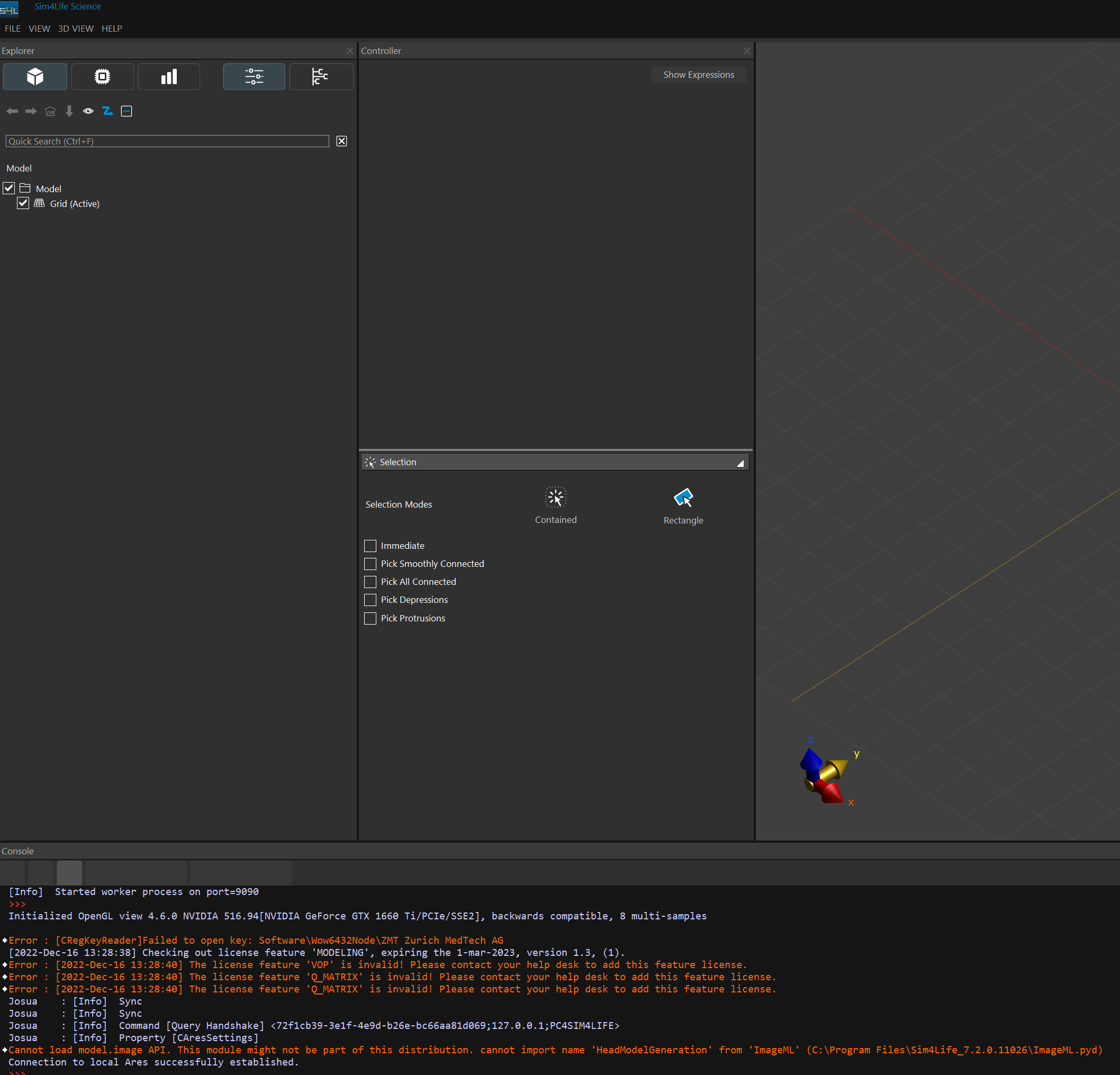
I cannot see the ribbon menu to model/simulate/analyze the simulations. Also, it does not import mri files or any other files. It can open previously created .smah files but cannot run simulations.
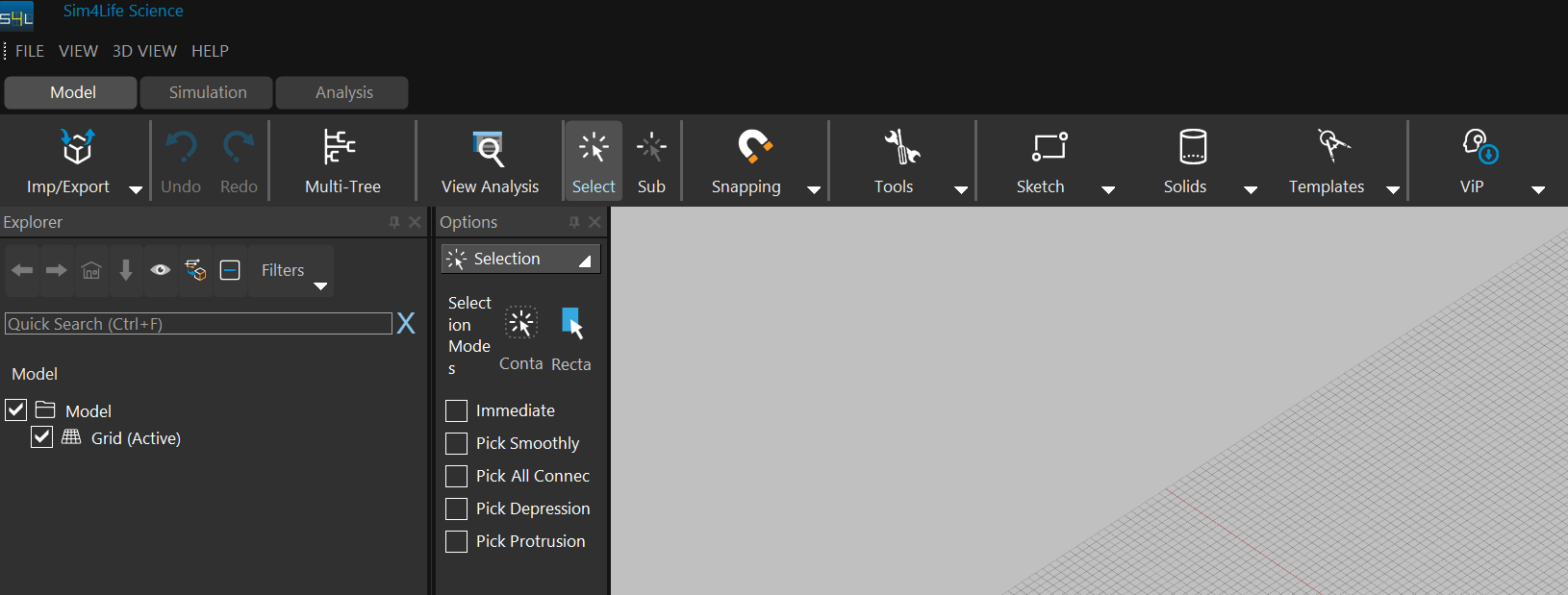
Here you can see an expected Sim4Life interface (ver. 7.0):
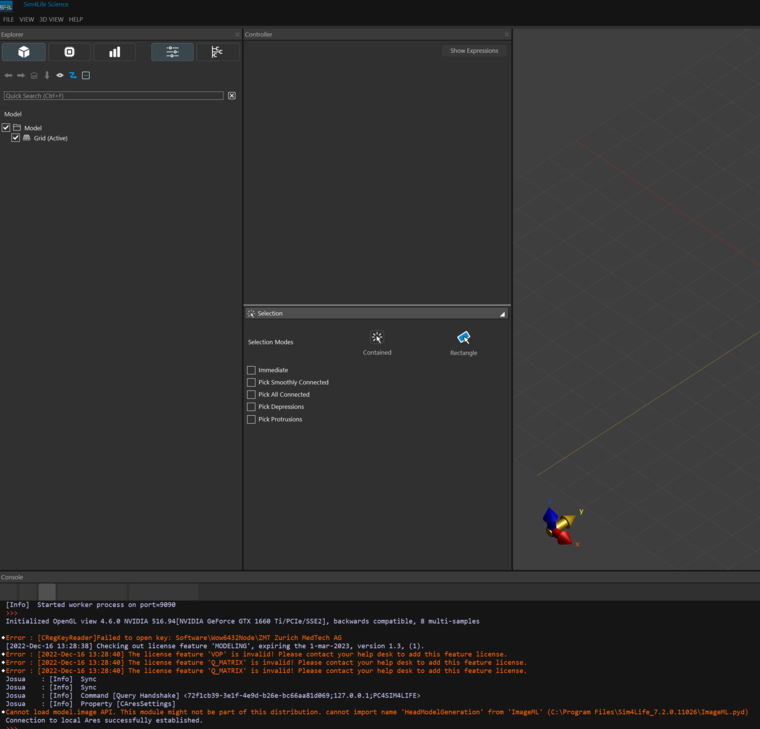
Here is the new version (7.2), which obviously has no ribbon menu items:
Any help on installation of version 7.2 is appreciated.
Thank you. -
Hi there,
Can anybody installed release 7.2?
I cannot see the ribbon menu to model/simulate/analyze the simulations. Also, it does not import mri files or any other files. It can open previously created .smah files but cannot run simulations.
Here you can see an expected Sim4Life interface (ver. 7.0):
Here is the new version (7.2), which obviously has no ribbon menu items:
Any help on installation of version 7.2 is appreciated.
Thank you.Hi Sayim,
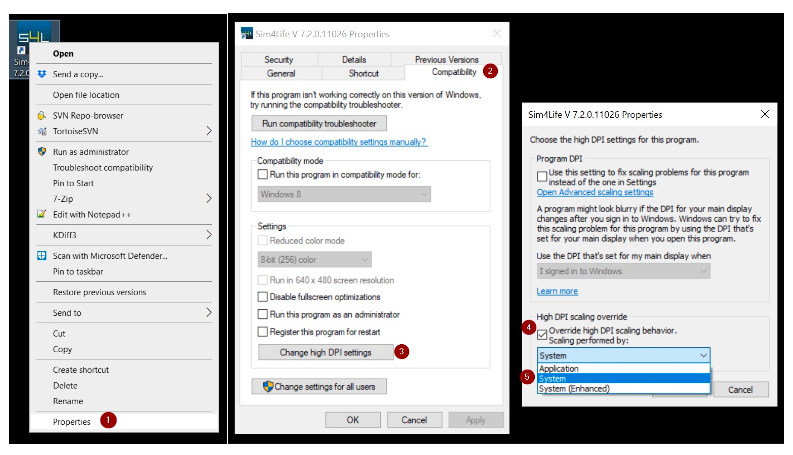
Please follow the steps below to fix the issue for Windows 10 (Windows 8.1, you can select "Disable display scaling on high DPI settings"):
- right-click on Sim4Life icon (the desktop link is also fine) and select Properties
- go to Compatibility tab and click on "Change high DPI settings"
- turn on "Override high DPI scaling behavior"
- select Scaling performed by: System
- click OK, then Apply and OK
- launch Sim4Life
-
Thank you so much Erdem. This worked!

Hello! It looks like you're interested in this conversation, but you don't have an account yet.
Getting fed up of having to scroll through the same posts each visit? When you register for an account, you'll always come back to exactly where you were before, and choose to be notified of new replies (either via email, or push notification). You'll also be able to save bookmarks and upvote posts to show your appreciation to other community members.
With your input, this post could be even better 💗
Register Login